

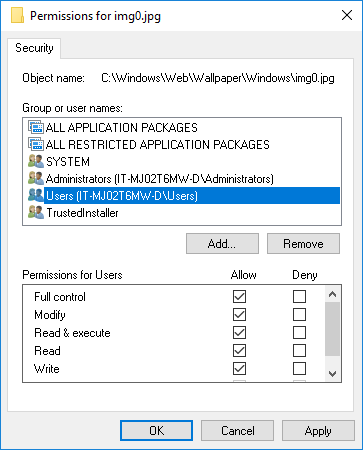
Here are two separate Powershell functions that will configure file ownership and file permissions. I had to create them, since I was having to reuse the same code multiple times in my upcoming Creators Update 1703 cleanup script. Enjoy!
Set-FileOwnership
Function Set-FileOwnership {
    <#
    .SYNOPSIS
    Sets File Ownership

    .PARAMETER File
    Provide file path

    .PARAMETER User
    Provide a username or group that requires file ownership

    .EXAMPLE
    Set-FileOwnership -File "C:\windows\web\Wallpaper\Windows\img0.jpg" -User Users

    .EXAMPLE
    Set-FileOwnership -File "C:\windows\web\Wallpaper\Windows\img0.jpg" -User Administrators
    #>
    param (
     [parameter(Mandatory=$true)]
     [ValidateNotNullOrEmpty()]$File,
     [parameter(Mandatory=$true)]
     [ValidateNotNullOrEmpty()]$User
    )

    $ACL = Get-ACL "$File"
    $Group = New-Object System.Security.Principal.NTAccount("$User")
    $ACL.SetOwner($Group)
    Set-Acl -Path "$File" -AclObject $ACL

}
Set-FilePermissions
Function Set-FilePermissions {
    <#
    .SYNOPSIS
    Sets File Permissions

    .PARAMETER File
    Provide file path

    .PARAMETER User
    Provide a username or group that requires permissions configured

    .PARAMETER Control
    Provide file system rights (Ex: FullControl, Modify, ReadAndExecute, etc)

    .PARAMETER Access
    Provide file system access rule (Ex: Allow or Deny)

    .EXAMPLE
    Set-FilePermissions -File "C:\windows\web\Wallpaper\Windows\img0.jpg" -User Users -Control FullControl -Access Allow

    .EXAMPLE
    Set-FilePermissions -File "C:\windows\web\Wallpaper\Windows\img0.jpg" -User Administrators -Control ReadAndExecute -Access Allow
    #>
    param (
     [parameter(Mandatory=$true)]
     [ValidateNotNullOrEmpty()]$File,
     [parameter(Mandatory=$true)]
     [ValidateNotNullOrEmpty()]$User,
     [parameter(Mandatory=$true)]
     [ValidateNotNullOrEmpty()]$Control,
     [parameter(Mandatory=$true)]
     [ValidateNotNullOrEmpty()]$Access
    )

    $ACL = Get-ACL "$File"
    Set-Acl -Path "$File" -AclObject $ACL
    $Permission = New-Object  system.security.accesscontrol.filesystemaccessrule("$User","$Control","$Access")
    $Acl.SetAccessRule($Permission)
    Set-Acl -Path "$File" -AclObject $ACL

}
Rinat
Hello!
Thank you for your functions.
In last function you’re using “Set-Acl -Path “$File” -AclObject $ACL” twice.
For what?
Jose Espitia
Sorry Rinat that was a mistake on my end. Leave the last “Set-Acl -Path “$File” -AclObject $ACL”.