

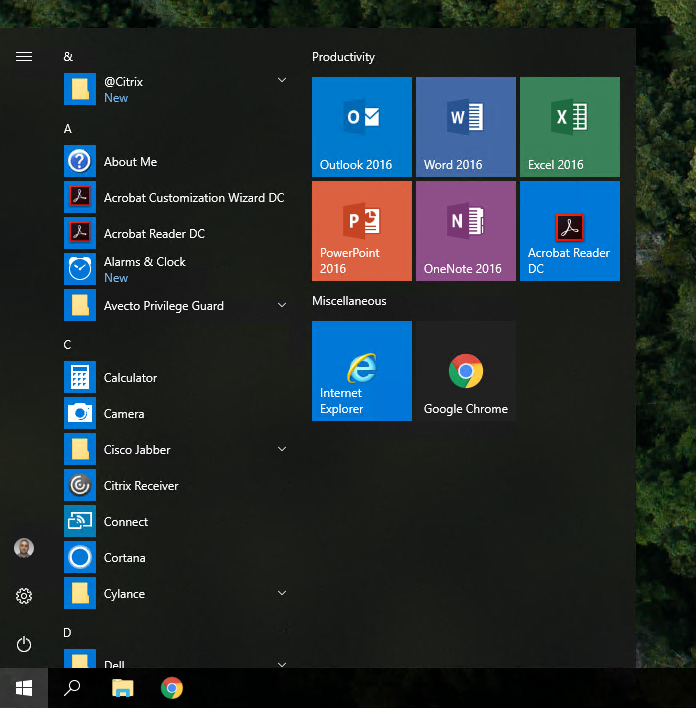
Since a lot of people are having issues with the start menu tiles in their images, I decided to create the following script to help others troubleshoot some common issues that may occur.
Note: This script is compatible with Windows 10 1709 and above.
The script will run through the following checks:
- Checks to see if C:\Users\Default\AppData\Local\Microsoft\Windows\Shell\LayoutModification.xml exists
- Checks if the current user’s LayoutModification.xml matches the default profile’s LayoutModification.xml.
- Opens C:\Users\Default\AppData\Local\Microsoft\Windows\Shell\LayoutModification.xml so you can confirm whether or not this is the XML file that you imported in your OSD process.
- Checks to see if HKCU:\Software\Microsoft\Windows\CurrentVersion\CloudStore\Store\Cache\DefaultAccount\$start.tilegrid$windows.data.curatedtilecollection.root is causing the issue.
Download The Script Now!
$CurrentUserStartMenu = "$env:LOCALAPPDATA\Microsoft\Windows\Shell\LayoutModification.xml"
$DefaultStartMenu = "C:\Users\Default\AppData\Local\Microsoft\Windows\Shell\LayoutModification.xml"


If((Test-Path "$DefaultStartMenu") -eq $False) {

    Write-Host -ForegroundColor Red "$DefaultStartMenu does not exist!"
    Write-Host -ForegroundColor Green "Possible Solution - Use Import-StartLayout to import your start layout (You will need to login as a new user to see the changes)"

    $Prompt = Read-Host -Prompt "Press any key to exit"

    If($Prompt -ne $Null) {

        Return

    }

}
Else {

    If((Get-FileHash $CurrentUserStartMenu).hash -ne (Get-FileHash $DefaultStartMenu).hash){

        Write-Host "The default profile layoutmodification.xml and the current user's layoutmodification.xml do not match!" -ForegroundColor Red
        Copy-Item "C:\Users\Default\AppData\Local\Microsoft\Windows\Shell\LayoutModification.xml" "$env:LOCALAPPDATA\Microsoft\Windows\Shell\LayoutModification.xml" -Force
        Remove-Item 'HKCU:\Software\Microsoft\Windows\CurrentVersion\CloudStore\Store\Cache\DefaultAccount\$start.tilegrid$windows.data.curatedtilecollection.root' -Force -Recurse
        Get-Process Explorer | Stop-Process

        $Prompt = Read-Host -Prompt "Is your custom start layout visible when you launch the start menu? (YES, NO)"

        If($Prompt -like "Y*") {

            Write-Host "Solution - Copying the default profile's layoutmodification to $env:LOCALAPPDATA\Microsoft\Windows\Shell\LayoutModification.xml fixed the problem" -ForegroundColor Red

            $Prompt = Read-Host -Prompt "Press any key to exit"

            If($Prompt -ne $Null) {

                Return

            }

        }
        Else {

            Write-Host "Unable to determine a solution" -ForegroundColor Red

            $Prompt = Read-Host -Prompt "Press any key to exit"

            If($Prompt -ne $Null) {

                Return

            }

        }


    }

    Write-Host -ForegroundColor Red "Confirm that the default start layout is the same start layout that you imported"
    Start-Process Notepad -ArgumentList "$DefaultStartMenu"

    $Prompt = Read-Host -Prompt "Is this the same layout that you imported? (YES, NO)"

    If($Prompt -like "Y*") {

        Remove-Item 'HKCU:\Software\Microsoft\Windows\CurrentVersion\CloudStore\Store\Cache\DefaultAccount\$start.tilegrid$windows.data.curatedtilecollection.root' -Force -Recurse
        Get-Process Explorer | Stop-Process

        $Prompt = Read-Host -Prompt "Is your custom start layout visible when you launch the start menu? (YES, NO)"

            If($Prompt -like "Y*") {

                Write-Host 'Possible Solution - Delete Software\Microsoft\Windows\CurrentVersion\CloudStore\Store\Cache\DefaultAccount\$start.tilegrid$windows.data.curatedtilecollection.root from C:\Users\Default\NTUser.dat' -ForegroundColor Green

                $Prompt = Read-Host -Prompt "Press any key to exit"

                If($Prompt -ne $Null) {

                    Return

                }

            }
            Else {

                Write-Host "Unable to determine a solution" -ForegroundColor Red

                $Prompt = Read-Host -Prompt "Press any key to exit"

                If($Prompt -ne $Null) {

                    Return

                }

            }

    }

    Else {

        Write-Host "Possible Solution - Replace C:\Users\Default\AppData\Local\Microsoft\Windows\Shell\LayoutModification.xml with your custom LayoutModification.xml(You will need to login as a new user to see the changes)" -ForegroundColor Green

        $Prompt = Read-Host -Prompt "Press any key to exit"

        If($Prompt -ne $Null) {

            Return

        }

    }

}
Rocco Spagnuolo
Hi dear,
How and where should I run this script?
Jose Espitia
Rocco, just copy and paste the script into Powershell ISE and then run it.